


Passport scanning
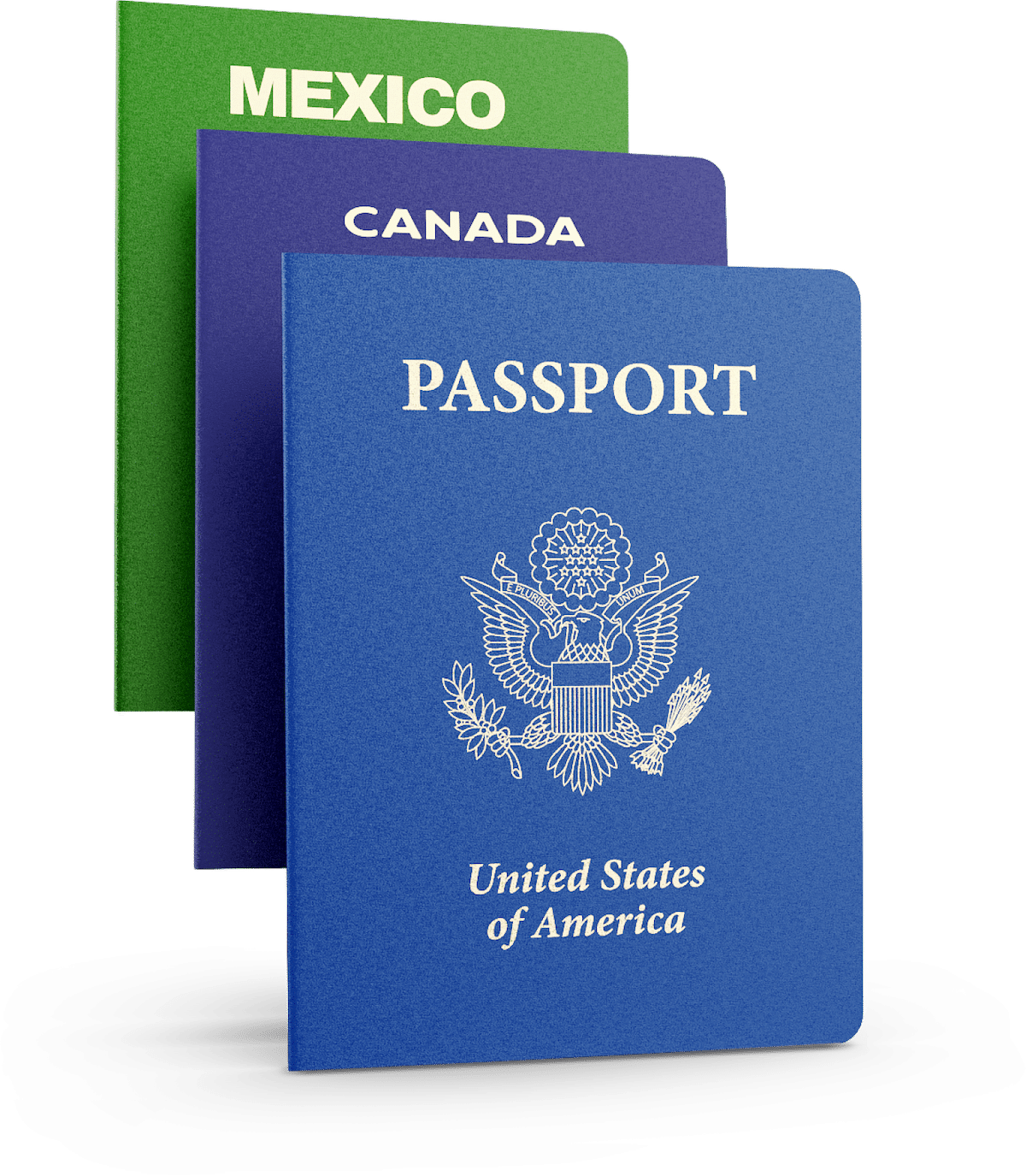
Passport scanning allows you to accept identity credentials from global customers. It is available via our off-the-shelf products, or via SDK and API
MRZ parsing
Read & decrypt fields stored in the machine readable zone.
Passport authentication
Validate security features on the passport.
RFID verification
Ingest fields stored in the RFID chip on the passport.
PASSPORT SCANNING
Readable fields from a passport
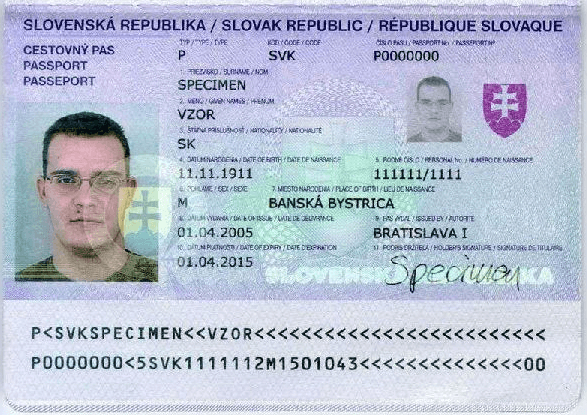
Passports use a machine readable zone (MRZ) to store data. MRZs are highly standardized globally. They contain only limited data, but can still be used to verify age and identity.
- First name
- Last name
- Middle name / middle initial
- Country of issue
- Nationality
- Date of birth
- Age
- Sex / gender
- Passport number
- Expiration date
HOW IT WORKS
Passport scanning technology
Tab Section 1 Header
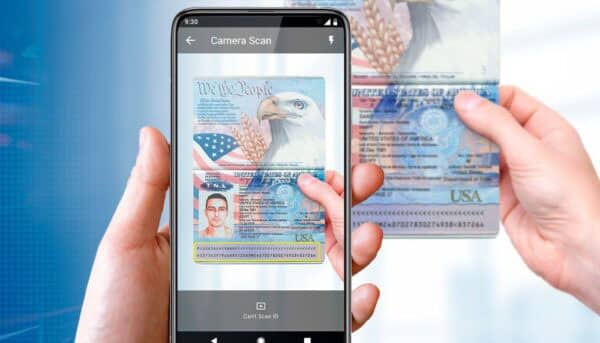
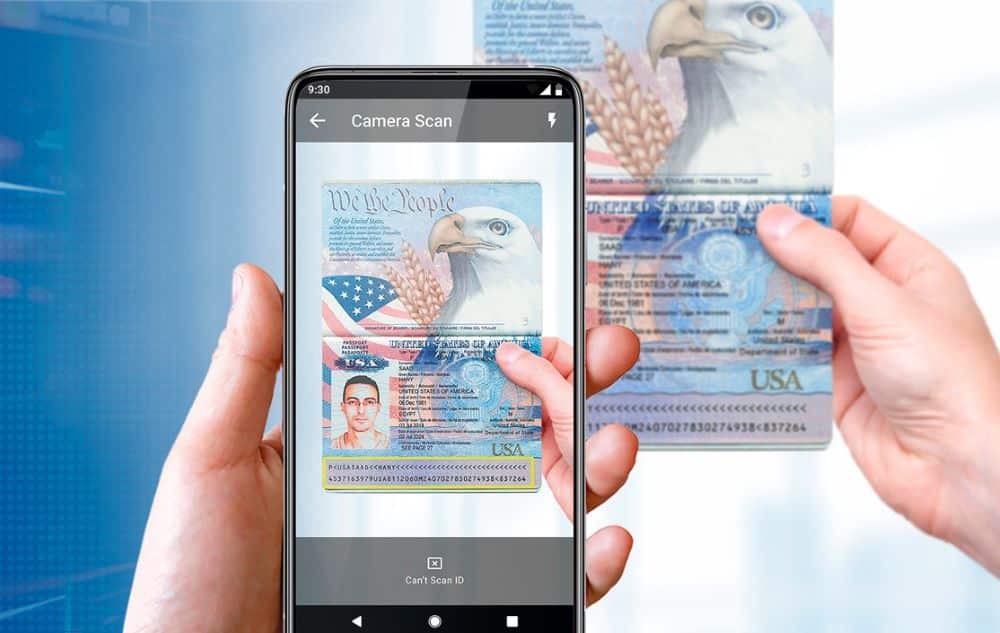
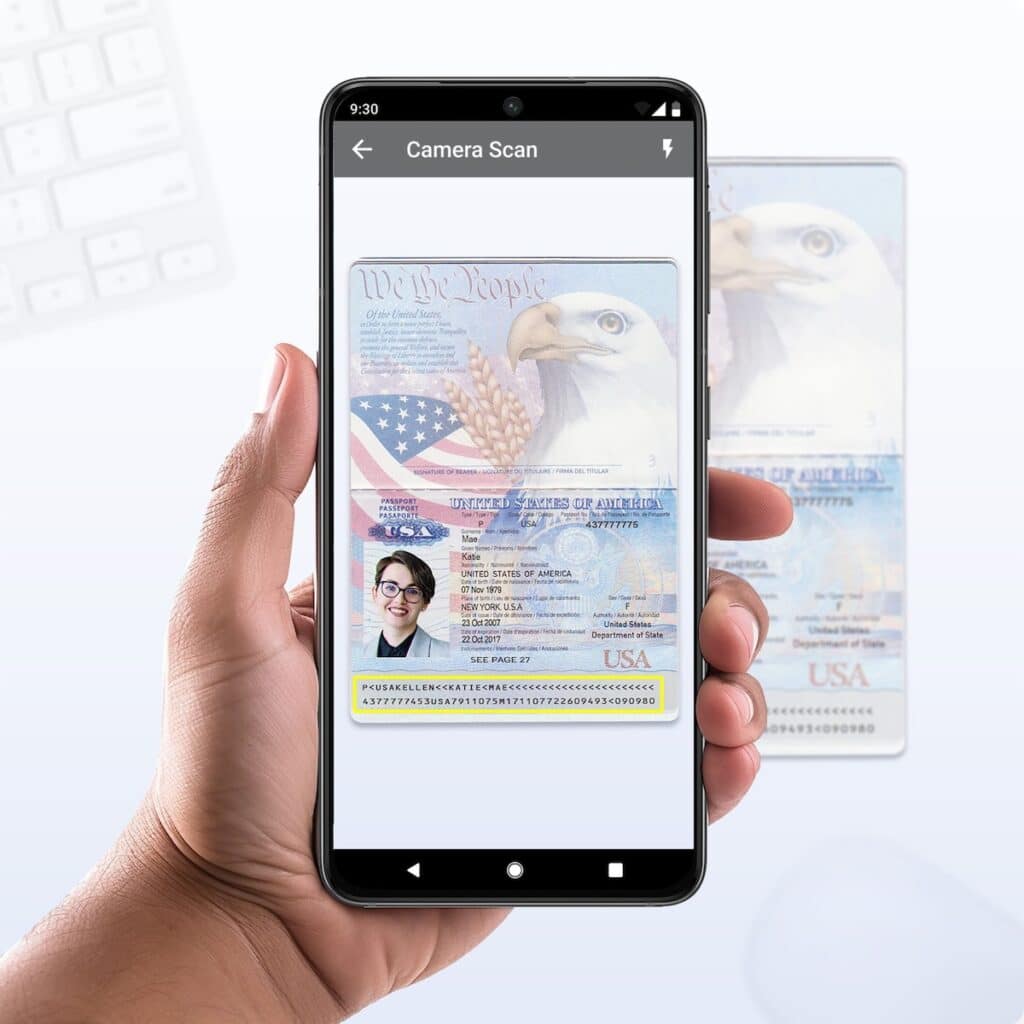
Our passport scanning API auto-focuses on the passport MRZ for a crisp, rapid scan. Our scanning APIs and SDKs are compatible with mobile devices (Android, iOS) as well as commercially available ID scanners.

Tab Section 2 Header
Our technology puts the captured MRZ through a normalization layer, turning the MRZ data into a consumable text string.
Tab Section 3 Header
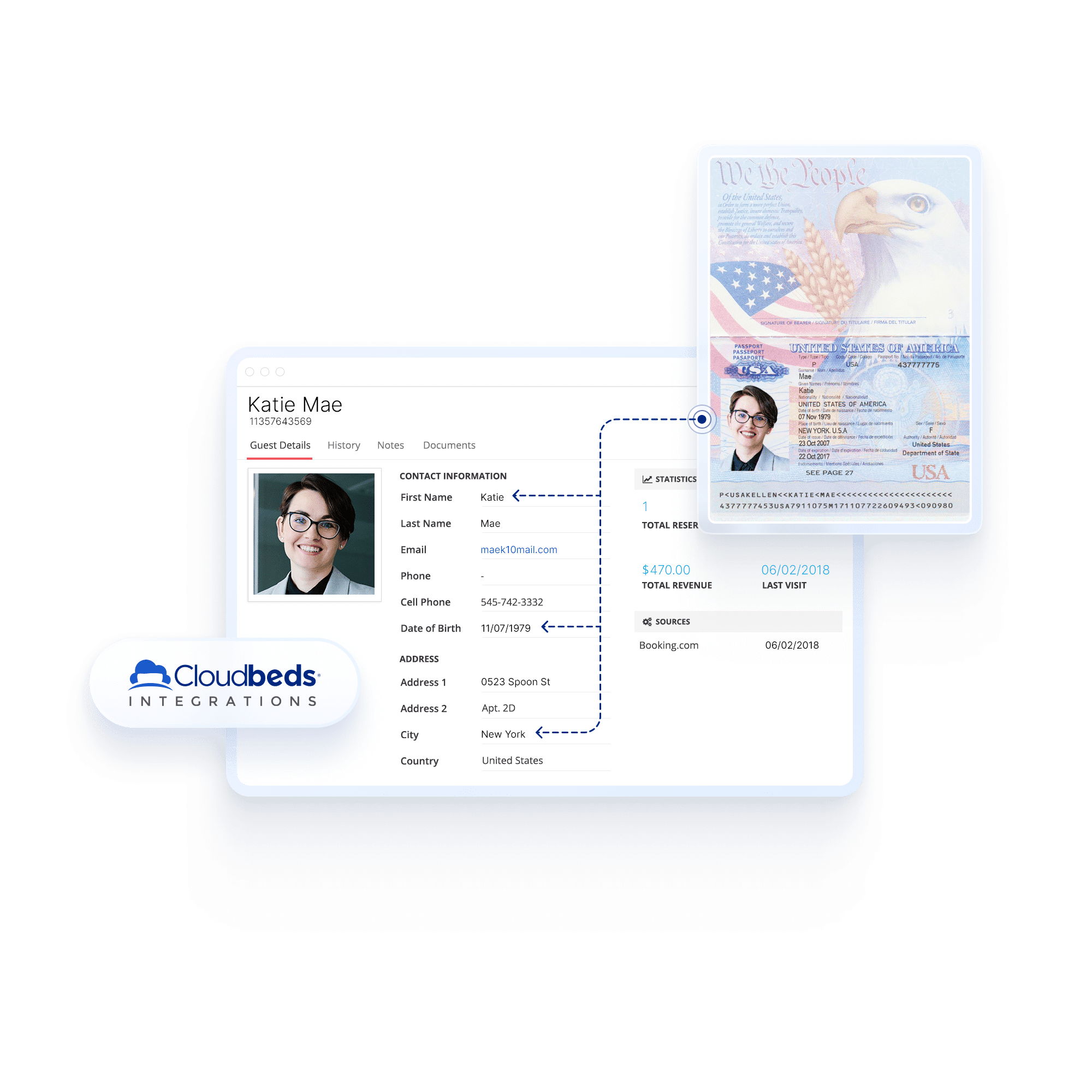
Import and classify the passport data and sort it into the correct text fields inside your app.
Benefits of passport scanning
Passport scanning reduces errors, and eliminates the guesswork of manual passport checks.
Operate globally
Integrated passport scanning ensures you can easily do business from customers around the world.
Reduce errors
Our passport scanning API ensures 100% accurate data is ingested from every passport.
Stay compliant
Meet compliance requirements for many business types that require digital passport scanning.

iOS passport scanning integration
How do I add passport scanning to my iOS application?
Our ID scanning SDK for iOS will allow you to turn the built-in camera on an iPhone or iPad into an ID scanner, capable of reading 2D barcodes on IDs and passport MRZs. You will need to use both our camera scanning SDK (to allow the camera to read IDs) and the ID parsing SDK (to convert the MRZ into readable data).
Can I use this SDK inside a web-based application?
If you are scanning IDs in-browser or inside a web app, we recommend our DIVE API, which provides a near turnkey solution that can be embedded inside your existing workflows, and reads passports natively.

Android passport scanning integration
How do I add passport scanning to my Android application?
In order to receive a License Key for our Android ID Scanning SDK send an email to support@idscan.net with the Package Name. Please be sure to provide your order number in the email once ready to upgrade from trial to production mode.
Can I use this SDK inside a web-based application?
If you are scanning IDs in-browser or inside a web app, we recommend our DIVE API, which provides a near turnkey solution that can be embedded inside your existing workflows.
What are the differences between the iOS SDK and the Android SDK?
There are no notable differences. If you are building an application on both platforms they will work very similarly.
Passport scanning software
Using passport scanning hardware
What hardware can I use to scan passports?
Windows-based passport scanning requires use of a flatbed scanner with a window large enough to accept passports.
In order to read both IDs and passports you will need to utilize a flatbed scanner such as the QS2000, AT10K, or TS200. These scanners have windows large enough to read passport MRZ and capture images of the passport. They are also capable of reading drivers licenses and state ID cards.
The Thales CR100 and CR100M can read passport MRZ with a swipe, but are not capable of reading drivers licenses and ID cards with a 2D barcode.
What are the benefits of using a dedicated scanner vs. a mobile device?
Specialty passport scanners come with a host of benefits.
- Dedicated hardware is high performant and designed for high volume environments.
- Some passport scanners such as the AT10K can read the RFID chips embedded in modern passports.
- Specialty passport scanners can perform ID authentication.
- Dedicated passport scanners are capable of performing image capture, which allows you to ingest an image of the passport or individual alongside the scanned data.
- Dedicated passport scanners provide increased legitimacy, as many customers do not want to have their passport scanned by what they perceive is a personal device.
Compare passport scanners
Any of the below passport scanning devices are fully compatible with VeriScan, ParseLink, and our passport scanning API and SDKs.
 |  |  |  |  | |
| ID scanner make/model | Thales QS2000 | Unitech SwiftScan | Thales AT9K | Thales AT10000 | Thales CR100 |
| Scans all North American IDs | |||||
| Scans global passport books | |||||
| Scans global passport cards and other MRZ documents | |||||
| Detect expired IDs & passports | |||||
| Age verification (18+, 21+) | |||||
| Optical character recognition (OCR) for parsing of data not stored in the MRZ | |||||
| Image capture | |||||
| Dimensions | 7.3″ x 6.0 x 5.2″ | 5.1″ x 5.7″ x 2.7″ | 4.3″ x 2.3″ x 2.2″ | 7.1″ x 4.53″ 2.8″ | 3.8″ x 1.3″ x 1.8″ |
| Weight | 2.2 lbs | 2.2 lbs | 2.4 lbs | 4.5 lbs | 4 oz. lbs |
| Time per scan | 6.7 seconds | 0.6 seconds | 1.9 seconds | 2.1 seconds | 0.8 seconds |
| Manufacturing location | China | China | South Korea | South Korea | |
ID & passport scanning FAQ
How does passport scanning work?
ID scanning uses a camera or an auto-focus laser to instantly read data stored in the symbology of an passport. This data is turned into a raw text string where it can be examined and parsed into software systems.
Does passport scanning use OCR?
Some passport scanning applications attempt to ingest data on the front of the passport using optical character recognition (OCR), however reading the data stored in the machine readable zone (MRZ) results in far greater accuracy and faster scan time.
What type of camera is needed for passport scanning?
It is recommended that you use a camera that is at least 5 Megapixels or higher. Most mobile phone camera exceed the required standard.
Are there differences between scanning an ID and a passport?
There are several small differences. The barcode is on the back of an ID, so it will need to be flipped over, while the MRZ is exposed directly under the text on the first page of the passport. Passport MRZs also store quite a bit less data.
What is the difference between passport scanning and passport parsing?
The passport scanning SDK will essentially turn a mobile device into a scanning device. It is ideal for use cases where specialty scanning hardware cannot be used and users will be scanning passports with their phone or tablet. Passport parsing takes the information captured in the passport scan and turns it into digestible data that can be used in form fields or a database.
Which types of passports can you scan?
Our technology is capable of scanning all global passports and passport cards. Any document with a machine readable zone (MRZ) can be scanned. We also are compatible with a limited number of non-barcode documents.
Identity verification integration library
We offer the most comprehensive library of developer tools to integrate ID scanning, parsing, and authentication into your systems and applications.
ID scanning

Scan and parse all government issued IDs and drivers licenses.
Integrate ID scanning and image capture, as well as accurate parsing into your iOS app via native SDK or our web library
Integrate ID scanning and image capture, as well as accurate parsing into your Android app via native SDK or our web library

Use our pre-built API to make ID verification calls to our cloud-based engine.

Take your ID scanning to the next level with ultraviolet and infrared forensic document analysis. Available on-prem as an SDK, or via API, where document authentication occurs on the cloud.

Remote identity proofing including ID validation, face match, and third party checks. DIVE is available with a low-code integration that combines frontend tools with our backend DV engine.

Access the authoritative source of more than 44 US DMVs through a structured identity confirmation API, which confirms data from the scanned identity document.

Access our library of screening services, including KYC checks, sex offender checks, criminal background checks, and more.