ID parsing
ID and passport parsing streamlines data entry by taking the fields on an identity document and instantly ingesting them into your software.
PDF417
Parse fields from 2D barcodes
MRZ
Parse fields from machine readable zones
OCR
Use optical character recognition to parse text





ID PARSING
Readable fields from an ID
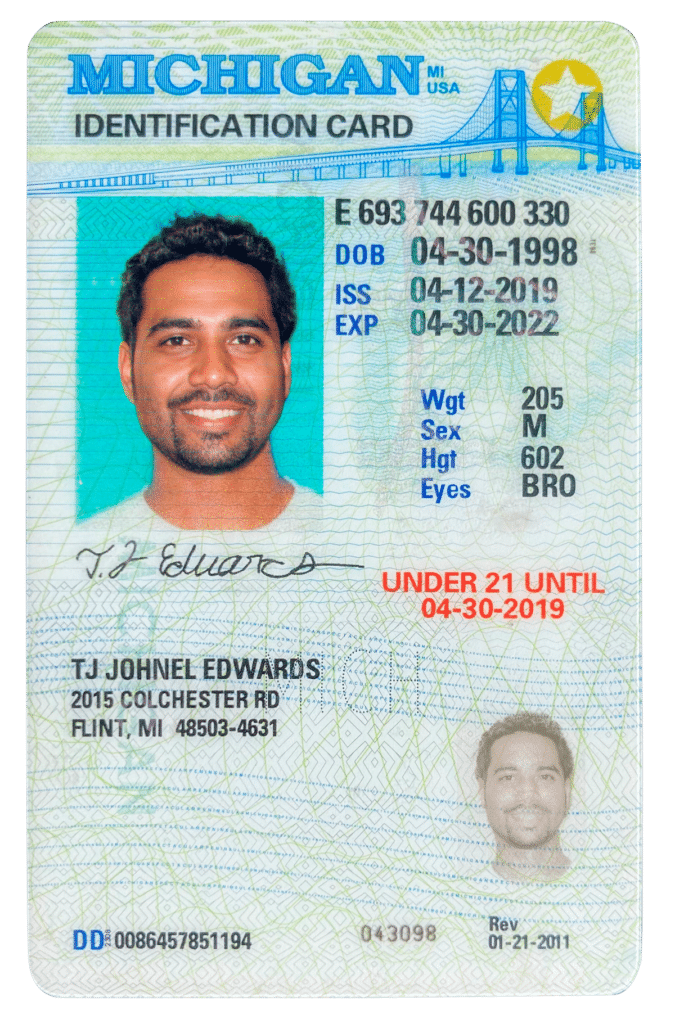
The following are a list of available fields, which can be scanned and parsed from commonly issued drivers’ licenses and state-issued IDs.
- First name
- Last name
- Middle name / middle initial
- Street address
- City
- State
- Zip code
- Country
- Issue date
- Date of birth
- Age
- Hair color
- Eye color
- Height
- Weight
- License class / type
- Expiration date
- ID number
PASSPORT PARSING
Readable fields from a passport
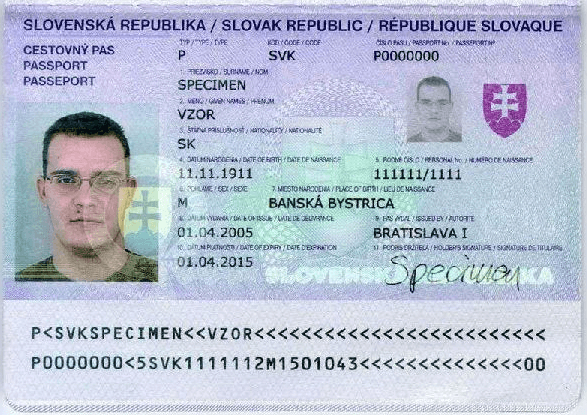
Machine readable zones (MRZ) on passports contain slightly less data due to limitations of the symbology. The following fields can be parsed from most global passports.
- First name
- Last name
- Middle name / middle initial
- Country of issue
- Nationality
- Date of birth
- Age
- Sex / gender
- Passport number
- Expiration date
HOW IT WORKS
ID parsing technology
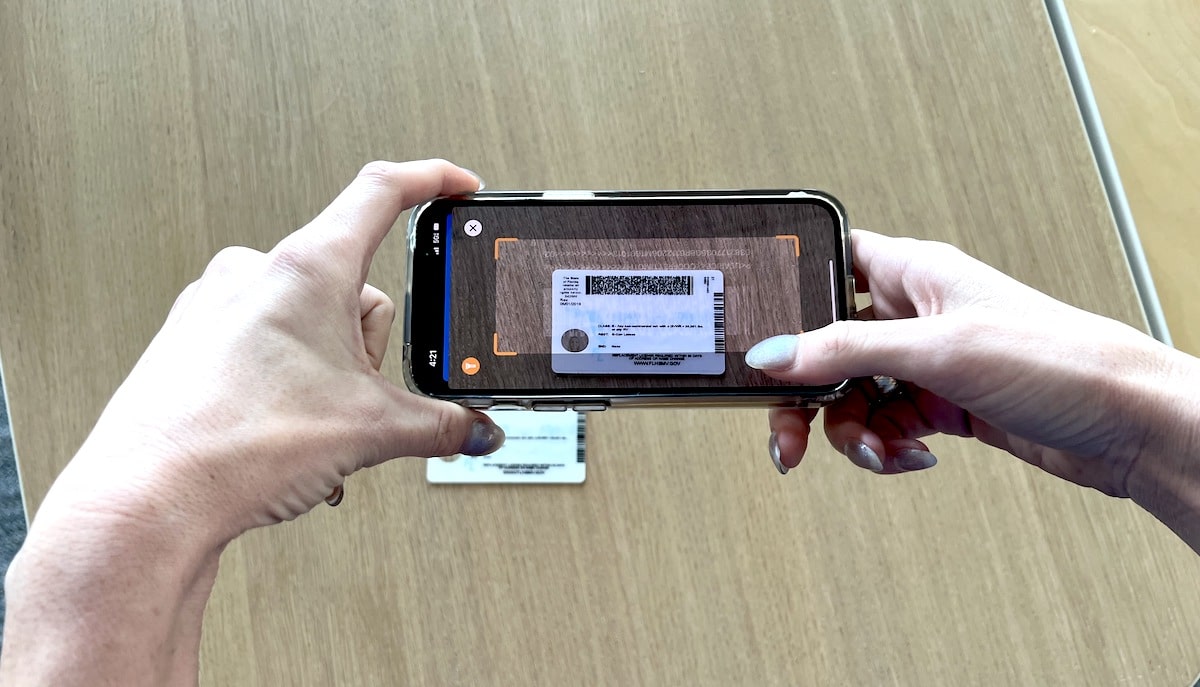
Data capture from the symbology on the document
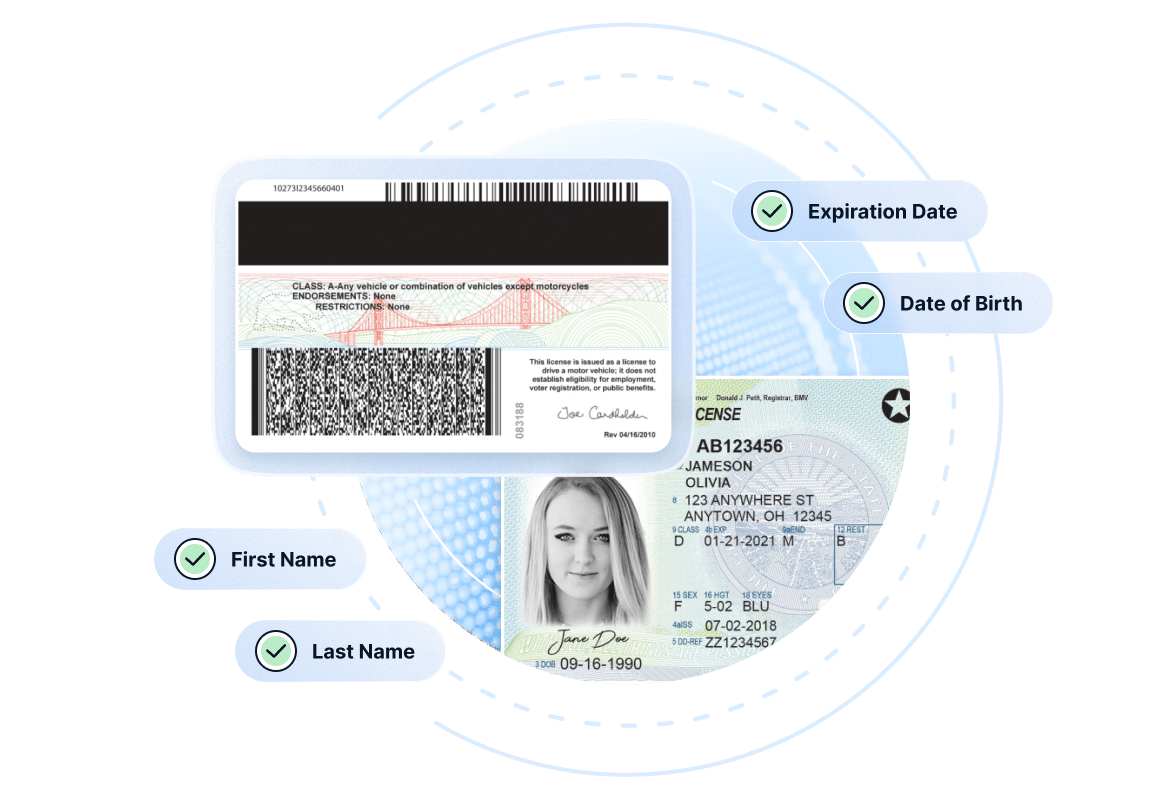
A camera or scanner reads the ID’s barcode, MRZ zone, NFC chip, or RFID chip and converts it into raw machine-readable data.
Decode and parse the data
The raw data is decoded against a known standard (AAMVA for US licenses, ICAO 9303 for passports, though not every jurisdiction fully complies) and structured fields are extracted — name, DOB, address, document number.
Verify the document
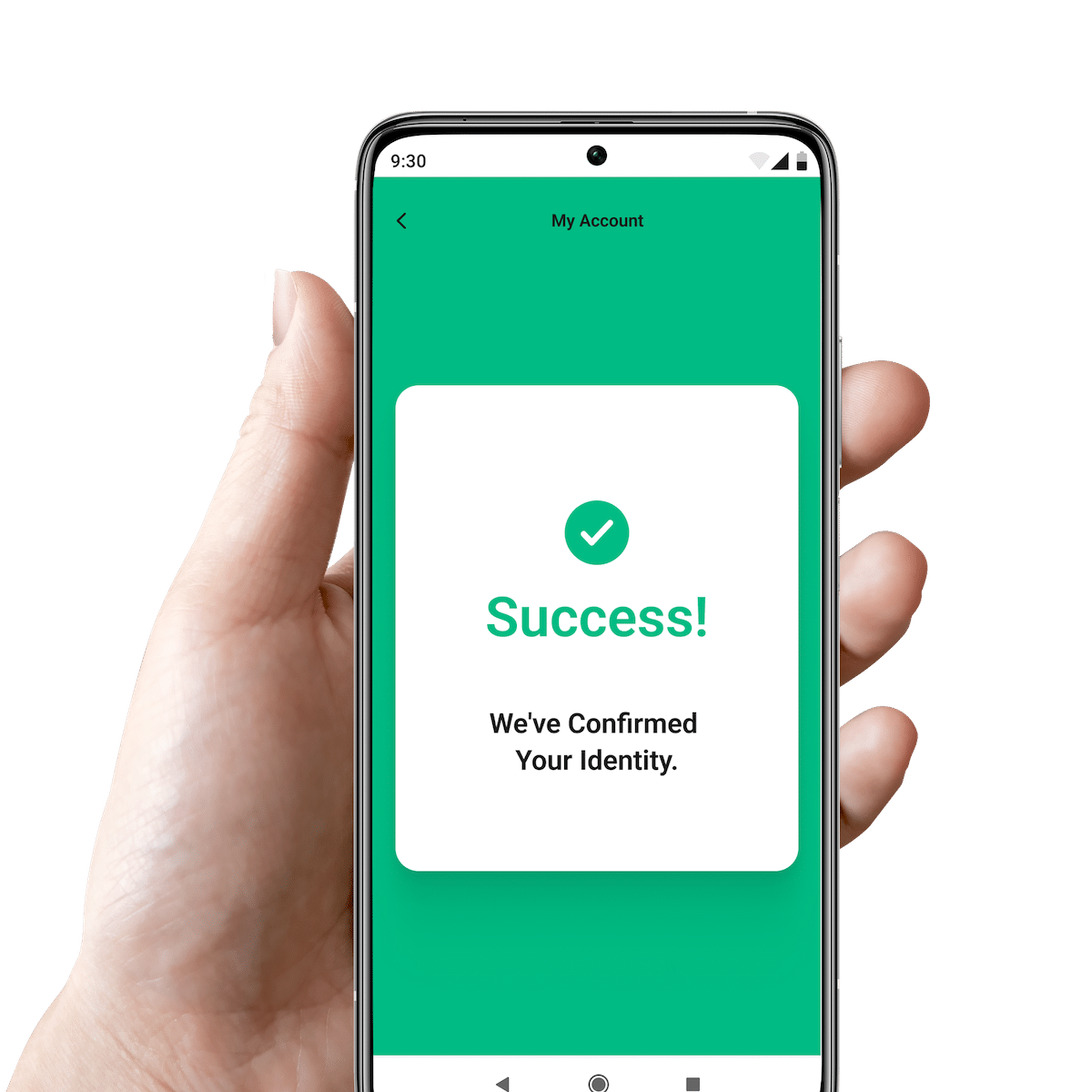
The extracted fields are validated for integrity (checksums, expiry, format) and returned as clean, structured output for your application to use.
Benefits of ID parsing
ID parsing turns encrypted symbologies from the ID into readable text fields which can be ingested by your application or software.
Rapid data automation
Parsing instantly turns the symbology on the ID into readable fields.
Typo-free data
ID parsing eliminates the risk of typos by inputting data accurately without typing.
Instant logic
Parsing into your system allows you to quickly verify age, legitimacy of the ID, and more.
ID parsing
Build vs. buy
Many businesses attempt to build their own ID parser, and it’s true: reading 2D barcodes and MRZs is relatively straightforward.
However, there are between 10 and 40 new ID formats launch each year in the US alone. Not all of these new IDs conform to AAMVA standards. Maintaining a parser that is capable of reading all valid identity documents is time consuming and challenging. Your in-house parser will need several example documents before it can successfully read and analyze each new format.
The IDScan.net ID parser scans and analyzes millions of IDs weekly, ensuring that we have the most up-to-date document library and new formats are added in near realtime.
New ID formats
We push updates that include new document formats as frequently as twice per month. This ensures you always are compatible with the latest drivers licenses and IDs.
Non-AAMVA compliance
Not all jurisdictions properly follow AAMVA standards when new IDs are released and it can be challenging to integrate IDs which have non-compliant barcodes or security features.
ID authentication
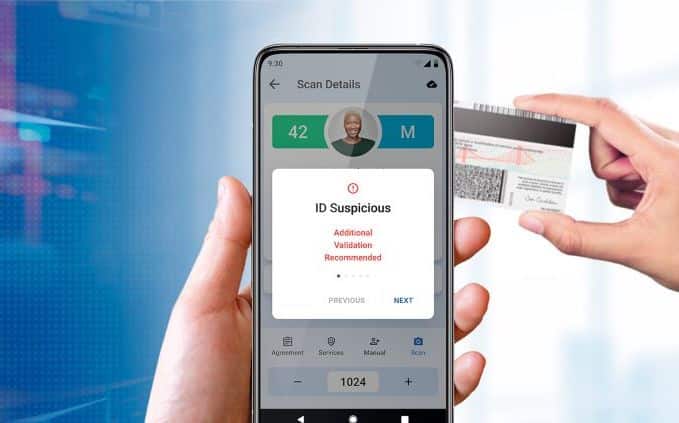
When paired with compatible hardware, our software is capable of detecting up to 95% of fake IDs.

iOS ID parsing integration
How do I add ID & passport parsing to my iOS application?
Our ID scanning SDK for iOS will allow you to turn the built-in camera on an iPhone or iPad into an ID scanner, capable of reading 2D barcodes on IDs and passport MRZs. You will need to use both our camera scanning SDK (to allow the camera to read IDs) and the ID parsing SDK (to convert the barcode into readable data).
Can I use this SDK inside a web-based application?
If you are scanning IDs in-browser or inside a web app, we recommend our DIVE API, which provides a near turnkey solution that can be embedded inside your existing workflows. DIVE API performs both scanning, parsing, and 2D barcode security.

Android ID scanning integration
How do I add ID & passport scanning to my Android application?
In order to receive a License Key for our Android ID scanning SDK send an email to support@idscan.net with the Package Name. Please be sure to provide your order number in the email once ready to upgrade from trial to production mode.
Can I use this SDK inside a web-based application?
If you are scanning IDs in-browser or inside a web app, we recommend our DIVE API, which provides a near turnkey solution that can be embedded inside your existing workflows.
ID parsing
Using specialty hardware
What hardware can I use to parse IDs and passports?
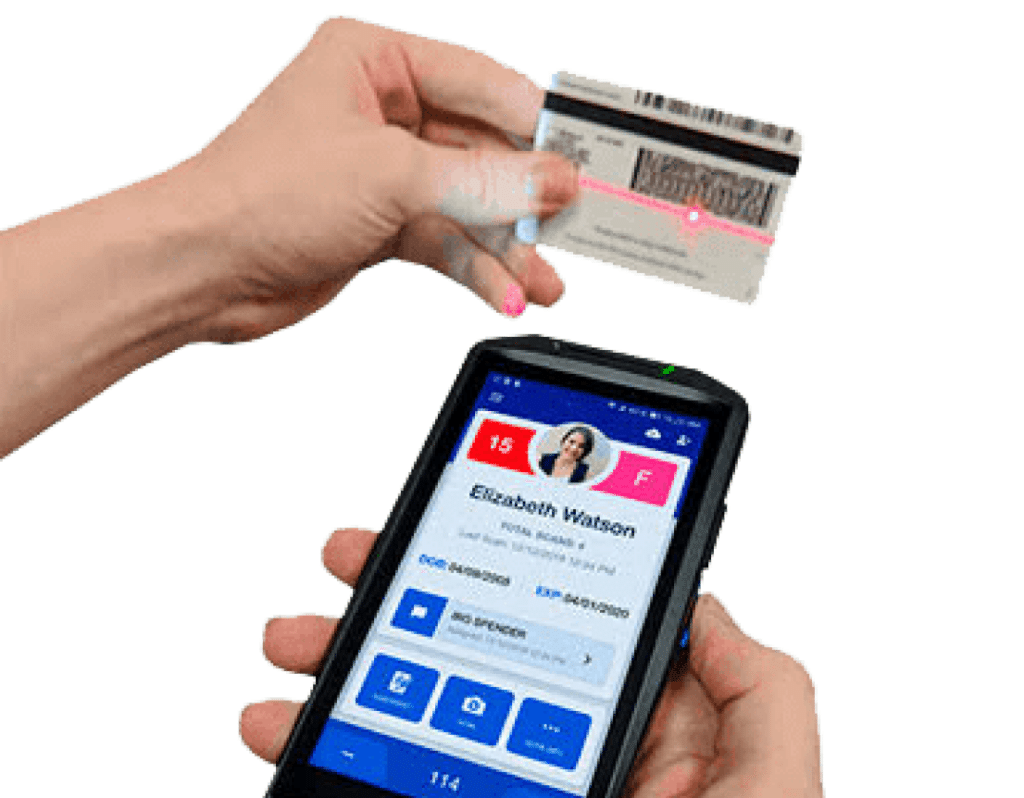
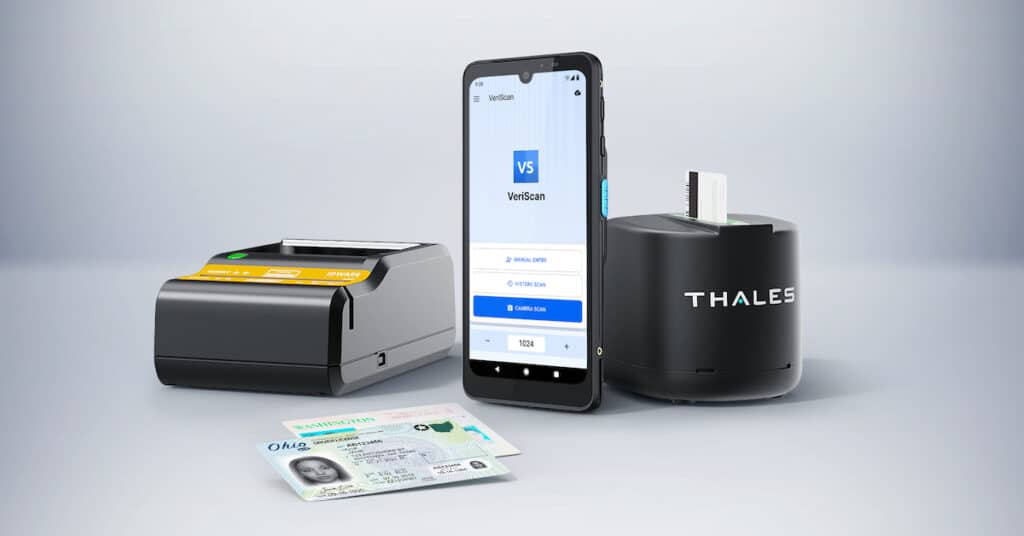
For the fastest, most efficient scanning, you can integrate ID parsing with any of our best-in-class ID scanning hardware. These devices are purpose-built to achieve fast, accurate scans using specialty lasers and cameras.
In order to read both IDs and passports you will need to utilize a flatbed scanner such as the QS2000, AT9000, or AT10K.
What are the benefits of using a dedicated scanner vs. a mobile device?
Specialty ID and passport scanners come with a host of benefits.
- Dedicated hardware is high performant and designed for high volume environments.
- Specialty ID scanners can perform ID authentication.
- Purpose-built ID scanners are capable of performing image capture, which allows you to ingest an image of the ID or individual alongside the scanned data.
- Dedicated hardware provides increased legitimacy, as many customers do not want to have their ID scanned by what they perceive may be a personal device.
ID & parsing scanning FAQ
How does ID parsing work?
ID parsing simply reads barcodes and translates all the data stored in a barcode into readable data, matched to fields inside your system. It works on 2D barcodes (PDF417) and passport MRZs.
Does ID parsing use OCR?
Some ID scanning applications attempt to ingest data on the front of the ID using optical character recognition (OCR), however due to the large number of formats this is not recommended. Parsing the data stored in the 2D barcode on the back of the ID results in far greater accuracy and faster scan time.
What type of camera is needed for parsing?
It is recommended that you use a camera that is at least 5 Megapixels or higher. Most mobile phone camera exceed the required standard.
Are there differences between parsing an ID and a passport?
There are several small differences. The barcode is on the back of an ID, so it will need to be flipped over, while a passport MRZ is exposed directly under the text on the first page of the passport. Passport MRZs also store quite a bit less data, so the fields will need to be mapped differently into your application.
What is the difference between ID scanning and ID parsing?
The ID scanning SDK will essentially turn a mobile device into a scanning device. It is ideal for use cases where specialty scanning hardware cannot be used and users will be scanning IDs with their phone or tablet. ID parsing takes the information captured in the ID scan and turns it into digestible data that can be used in form fields or a database.
Which types of IDs can you scan?
Our technology is capable of parsing all US drivers’ licenses and state-issued IDs, as well as all government IDs. It also works on most Canadian IDs, military IDs, and some Canadian healthcare cards. It can also scan the MRZ on passports for all countries globally. It does not work on QR codes, magstripes, or RFID chips.
Can you provide example projects which utilize your ID parser?
- VB.NET project
- C++ project
- C# project
- C# with Form project
- C# with Form and Reader project
- Visual Studio Examples Bundle (Includes Client-Server)
- Java Example
- C# Example project for SDK Lite(Hardware ID and Registration Key)
- VB.NET Example project for SDK Lite(Hardware ID and Registration Key)
- C# Example project for SDK Lite and Eseek Scanner/Reader
- Example with ID Parser / WinForms / M280
- iOS X-Code Example Scanning and Parsing
- Java Android
- Java/C++ Linux
Identity verification integration library
We offer the most comprehensive library of developer tools to integrate ID scanning, parsing, and authentication into your systems and applications.

Scan and parse data from all global passports.
Integrate ID scanning and image capture, as well as accurate parsing into your iOS app via native SDK or our web library
Integrate ID scanning and image capture, as well as accurate parsing into your Android app via native SDK or our web library

Use our pre-built API to make ID verification calls to our cloud-based engine.

Take your ID scanning to the next level with ultraviolet and infrared forensic document analysis. Available on-prem as an SDK, or via API, where document authentication occurs on the cloud.

Remote identity proofing including ID validation, face match, and third party checks. DIVE is available with a low-code integration that combines frontend tools with our backend DV engine.

Access the authoritative source of more than 44 US DMVs through a structured identity confirmation API, which confirms data rom the scanned identity document.

Access our library of screening services, including KYC checks, sex offender checks, criminal background checks, and more.
Integrate your ID parsing with best-in-class hardware and software
We offer ready-made integrations with a variety of software platforms, allowing you to scan and parse IDs, and send data directly into the software platforms you already use.