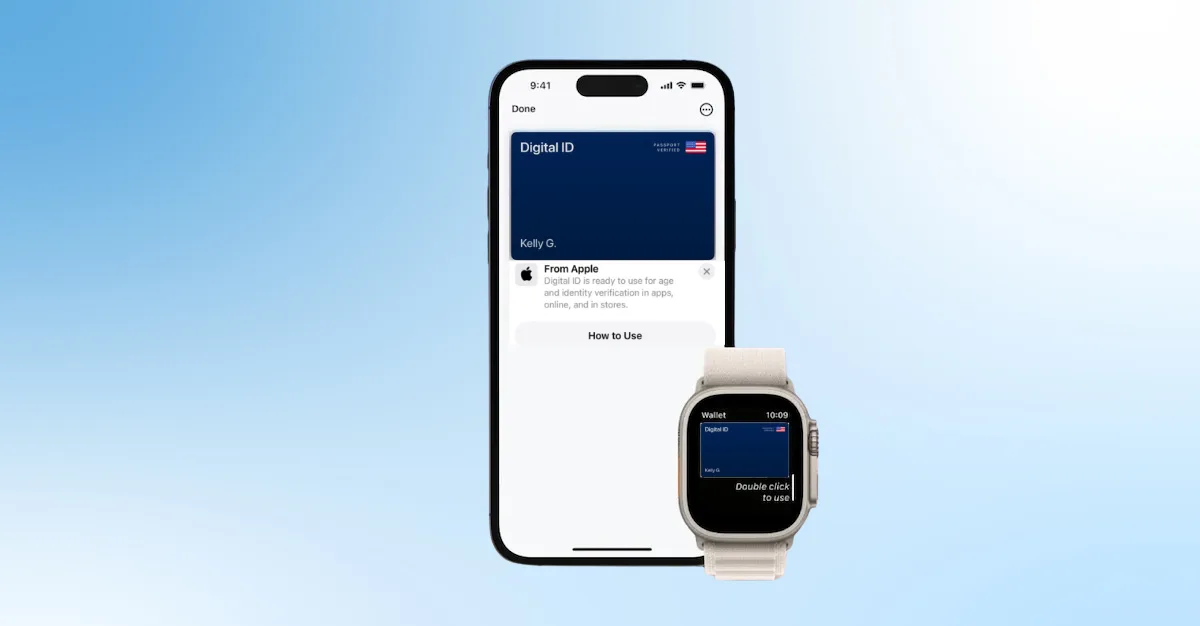

Apple’s recent introduction of its digital ID, which allows users to store and present their U.S. passport directly from Apple Wallet, marks one of the most significant advancements in digital identity in years. This new format enables travelers to authenticate their identity at more than 250 TSA checkpoints nationwide, offering a faster, more secure, and more private alternative to handing over a physical passport. Although Apple’s digital ID is not yet a replacement for the physical passport, it represents a major step toward a mobile-first identity ecosystem.
To ensure organizations can confidently accept and verify this new ID format, technologies like VeriScan Identity Platform and the complement, DIVE (digital identity verification) provide essential tools for validating the authenticity of Apple’s digital ID and ensuring the user presenting it is who they claim to be.
How Apple’s digital ID and e-passport work
Apple’s digital ID allows users to store verified passport data securely on their iPhone or Apple Watch. To add the digital ID, users open the Wallet app, scan their passport’s photo page, and then scan the document’s embedded NFC chip. This second step is important because it ensures that the identity data stored in the digital ID matches the authenticated data inside the physical passport. Apple also layers in biometric verification by prompting users to complete selfie and liveness checks during setup, confirming that the person adding the passport is the legitimate holder.
Once added, the digital ID is stored on the device in encrypted form and bound to the user’s Face ID or Touch ID credentials. When the time comes to present the ID, the user double-clicks the side or home button, selects their digital ID, reviews the information being requested, and approves the request with Face ID.
This new format complies with the ISO 18013-5 standard for mobile driver’s licenses and mobile IDs, which allows verifiers to authenticate the credential using industry-standard protocols.
Why verification matters
As more travelers and consumers adopt this new credential, organizations face the same foundational questions they’ve always faced with identity documents: Is the identification authentic, and is the person holding it the rightful owner? Verifying digital IDs and e-passports also introduces additional complexities. Users expect to share only the minimum amount of information required, and organizations often prefer not to deploy extra hardware to read mobile IDs. Fraud risks, from synthetic identities to deepfake attempts, continue to escalate, and businesses must ensure that any identity data they accept aligns with compliance requirements and local regulations.
Apple’s digital ID, while inherently secure, requires a compatible verification method that can read Wallet-based IDs and e-passports, validate their authenticity, and compare the presented information to the person presenting it.
This is where IDScan.net delivers a complete mDL and e-passport verification ecosystem.
How IDScan.net enables Apple digital ID verification
IDScan.net allows organizations to accept Apple’s digital ID and e-passport in person using VeriScan. This is particularly important because it enables acceptance of mobile IDs without any external hardware. Using the VeriScan app on an iPhone, a business can accept a mobile ID through NFC or QR-based connections. VeriScan authenticates the credential using ISO 18013-5 protocols, displays the transferred identity data to the verifier, and provides a clear, side-by-side comparison between the transmitted portrait and the person presenting the device. All verification events are stored in VeriScan’s encrypted reporting history, allowing organizations to maintain compliance and audit trails, or customize PII settings based on state specific privacy laws.
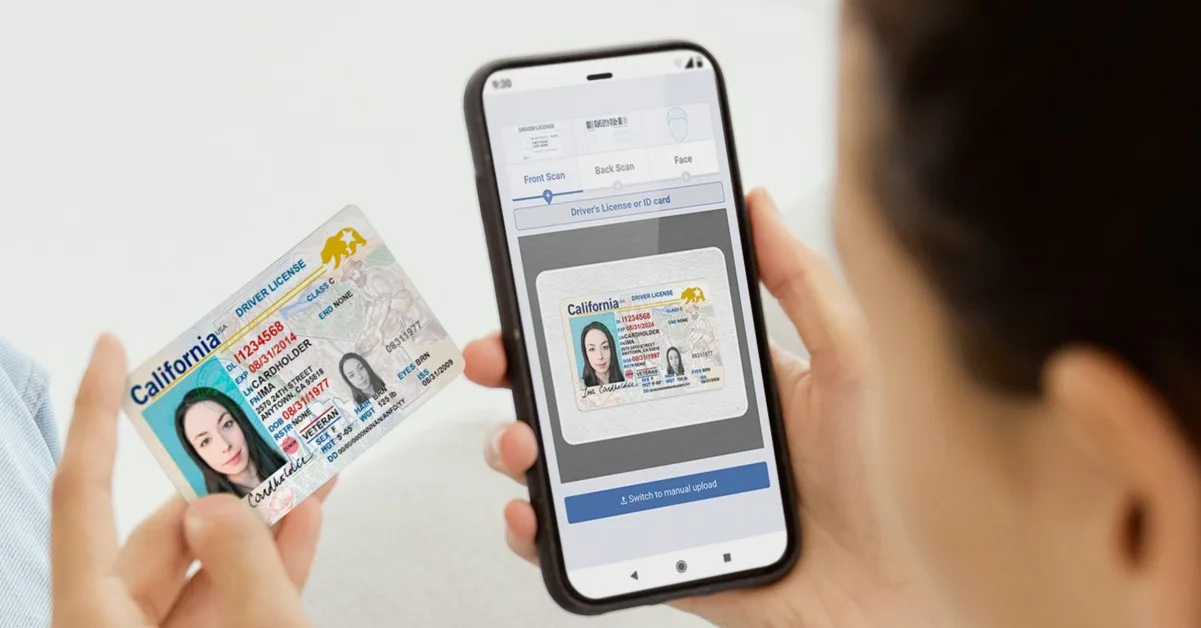
For online or remote identity verification, DIVE performs deep validation using a combination of document analysis, facial recognition, and anti-spoofing technology. Businesses that adopt DIVE can request users to capture images of their physical passport, submit a selfie, and complete liveness steps. DIVE reads the passport’s MRZ, validates the integrity of the document, and cross-checks all data for inconsistencies or signs of tampering. The system then compares the selfie to the passport portrait to confirm user ownership and runs the identity against fraud databases or watchlists if configured by the organization.
Although DIVE does not verify Apple’s digital ID directly, it complements VeriScan by validating the physical passport tied to the digital ID and enabling organizations to verify identity remotely before a user ever appears in person. In this way, VeriScan handles real-time acceptance of the digital credential, while DIVE powers robust remote onboarding.
Implementing a mobile ID and e-passport verification workflow
If your business is looking to verify and accept mDLs and e-passports in person today, there are multiple options available to help. VeriScan allows businesses to quickly and securely verify credentials, whether customers have physical or digital IDs and e-passports.
VeriScan for iOS allows businesses to verify mDLs and e-passports directly from an iPhone, with no additional hardware needed, using NFC technology.
The Tap2ID Mobile ID Reader, paired with VeriScan software, allows businesses to verify mDLs and e-passports from all live states, including those in Apple Wallet or Google wallet, using either the NFC or QR code capabilities.
While businesses may not yet be able to verify mDLs and e-passports digitally for online transactions, these tools can help with in-person checks until the standards for digital verification are finalized and adopted.
Conclusion
Apple’s digital ID and e-Passport experience is redefining how travelers and customers present their identity. As acceptance grows across airports, digital services, and retail environments, organizations need a verification strategy that supports mobile credentials without sacrificing security or privacy.
By embracing IDScan.net’s VeriScan platform, organizations can begin accepting Apple’s digital ID today, streamline their identity workflows, and prepare for a future in which mobile credentials become the default, not the exception.