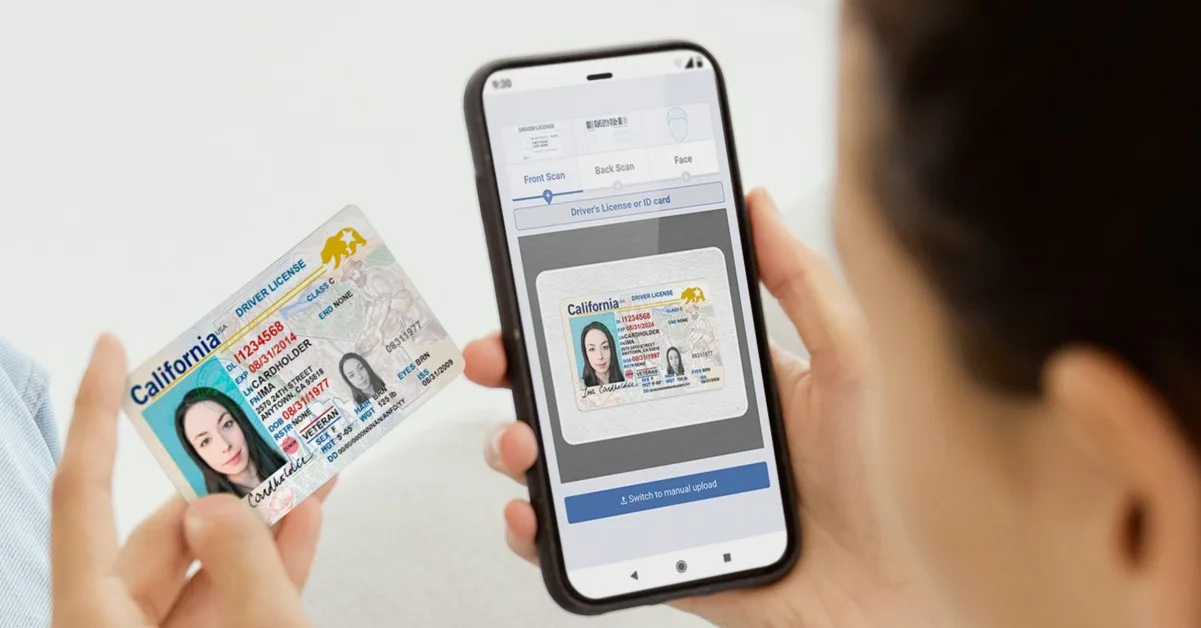

We are thrilled to announce the launch of thenext generation of our digital identity verification engine (DIVE). Built on a foundation of speed, compliance, and developer flexibility, DIVE API 2 delivers a powerful suite of new features designed to streamline your verification workflows, enhance security, and improve user experience.
API 2 was designed to include more frontend logic and modification capabilities, improved options for omnichannel experiences, and better reporting. It still includes our industry-leading document verification, NIST-level face matching, and wraparound risk scoring in 12 seconds or less to provide confident remote IDV.
Here’s a look at the key enhancements you can expect with API2:
Streamlined communication and user experience
We’ve made it easier than ever to communicate with your users and guide them through the verification process:
- Trigger SMS/email verification request: Initiate multi-factor authentication directly from the API for fast, reliable user communication. Requests can be sent to US phone numbers or email.
- QR code transition: Enable a smooth transition of the verification flow from a desktop computer to a mobile device using a secure QR code scan, reducing friction for users.
- Prebuilt consent form: Easily meet compliance requirements with a customizable, prebuilt consent form that can be integrated directly into your flow.
- Prebuilt web page option: Deploy a complete, professional verification experience with minimal development effort using our new low-code web page option. The page is responsive for easy viewing on mobile devices.
Portal management
The DIVE administrative portal has been significantly upgraded.
Manual upload in the Portal
Administrators can now manually upload verification documents directly within the portal for edge cases or internal review processes. This is ideal for post-transaction fraud investigation, asynchronous verifications, and lengthier compliance workflows.
Front-end editing in the Portal
Customize and fine-tune front-end elements of your verification pages directly through the portal interface—no code changes required.
- Allow/deny manual upload or entry by step
- Choose which ID types you want to accept
- Choose which verification steps you want to perform
- Choose timing and user experience of the flow
- Choose whether to perform liveness checks
- Leverage the IDScan.net CDN for faster performance and content delivery
- Automatically resize images before capture, saving
- Choose warning language for poor quality images
- Set your verification language to English or Spanish
Control thresholds via Portal
Gain granular control by adjusting key risk and acceptance thresholds directly from the portal, allowing for real-time risk policy adjustments. Whether your organization is extremely fraud-conscious and wants maximum risk prevention, or you’re simply capturing ID information for marketing purposes, our settings will make it easy to configure how strict or balanced you’d like your IDV experience to be.
Settings Profiles
Define and manage different verification settings configurations for various use cases, regions, or customer segments. For example, if your business needs state-specific consent language for California, Settings Profiles in API2 allow you to create a California Profile with the appropriate consent language.
WYSIWYG brand editor
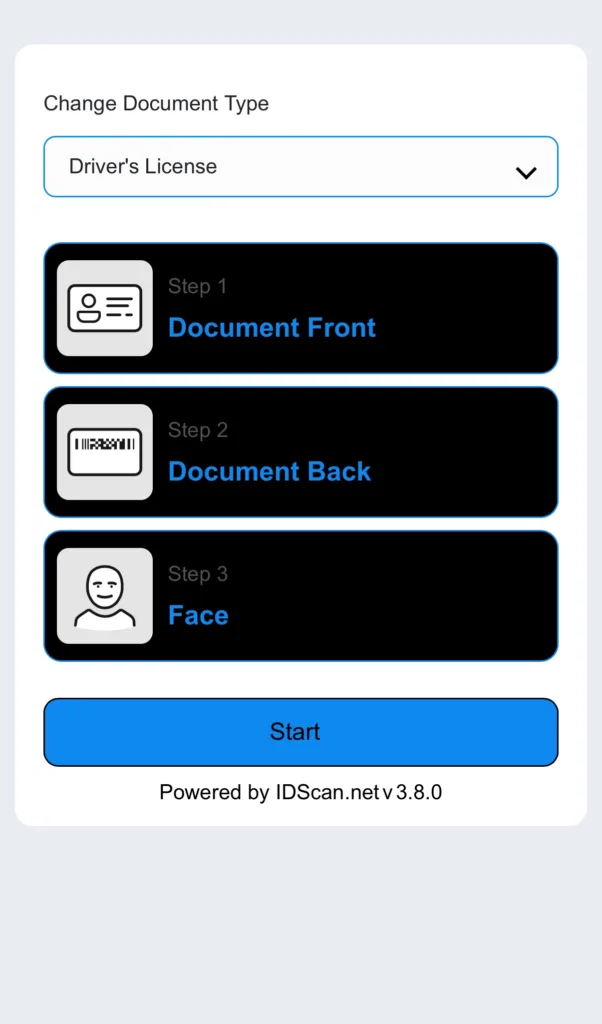
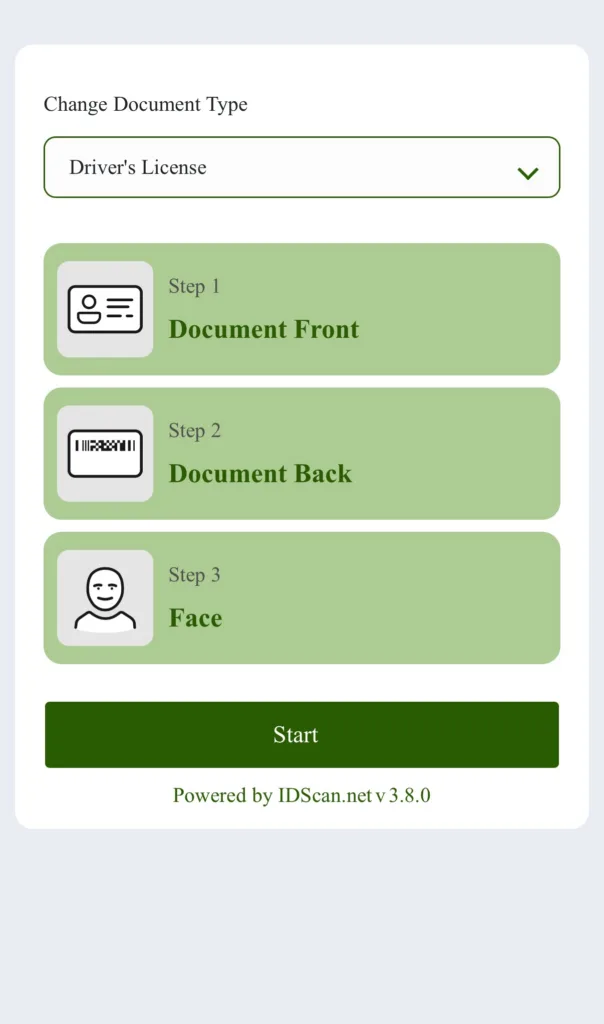
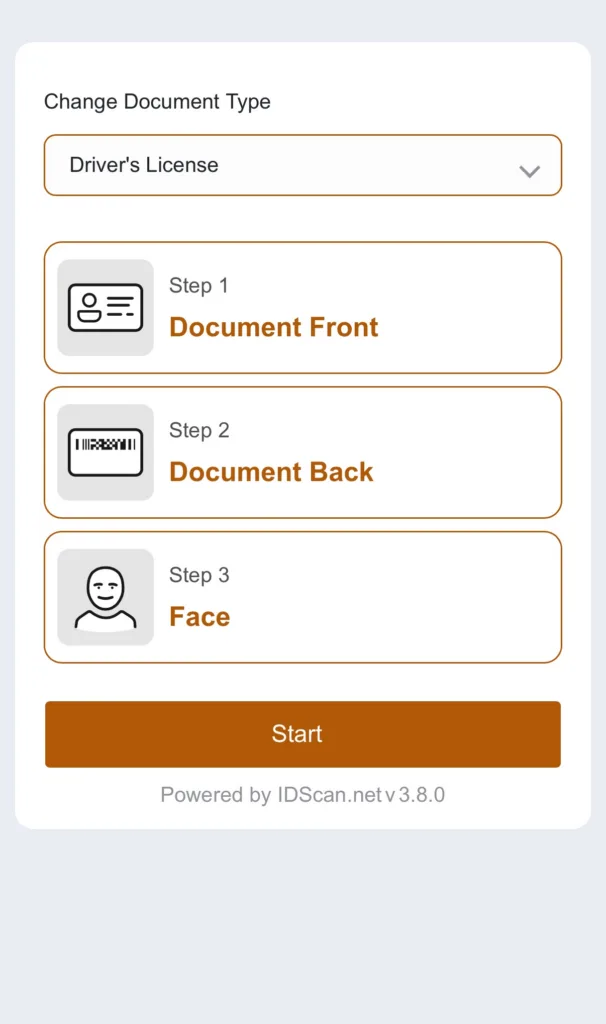
API2 offers comprehensive customization options for your integration’s appearance. You can easily set your desired colors and branding to maintain consistency with your existing look and feel.
Furthermore, API2 offers content flexibility, allowing you to edit all text fields within the interface. You can also add animations to enhance the user experience and engagement.
Operational tools
API2 is more than just digital IDV and document/face matching. It’s a full operational toolkit to better run your digital identity workflows. With API2, you now have control over:
- Attempts: Detailed tracking and management of verification attempts for better fraud monitoring and flow optimization.
- Webhooks: Instantly receive notifications about verification status changes in real-time, enabling faster integration and responsive user flows.
- VS Integration (RIV): Full integration with VeriScan for robust, real-time data lookups, synced to your in-person transactions.
- Automated email reports: Stay informed with scheduled, automated reports delivered directly to your inbox, providing key metrics and insights into your verification performance.
Enhanced Third Party Checks
API2 now includes the ability to perform comprehensive US Criminal Background checks during the verification process, for enhanced risk management and compliance using Third Party Checks.
We also have several new sources for authoritative checks and multi-dimensional risk scoring, which will become available for API2 customers later in the year.
Enhanced web library for client-side capture
Our web library makes it easy to ensure your DIVE frontend experience is easy, intuitive, and works every time. Our image capture tools will help guide your customer through taking a photo of their license that is crisp, easily verified, and meets all compliance standards for IDV. The web library also controls image capture of the face selfie. These images are then sent to our engine for processing and delivery of a response.
Take advantage of suspicious activity monitoring
Suspicious activity monitoring helps prevent serial fraud, and repeated fraud attempts by automatically rejecting verification requests that contain data or images previously sent in another request. As an example, a fraudster may use an ID with a synthetic identity that contains their face. They then use another fake ID, which uses the same photo. Our suspicious activity monitoring is designed to catch the use of the same image across multiple documents to catch more fraud.
How to get started
API2 is available starting today. We encourage you to review the updated documentation and begin migrating your integrations to take advantage of these powerful new capabilities. Our team is ready to assist!
Frequently asked questions
How long does migration from API1 to API2 take?
A typical transition takes between 1-2 days of development work. If you have significant frontend customizations, need to implement our frontend web library, or have a multi-tenant architecture with sub-accounts, there may be some additional complexity. Our Product and Developer Support teams are here to assist with all of these tasks.
Can barcode-only customers migrate to API2?
Yes! Customers using any of our digital products are eligible for migration. The migration for barcode-only customers is very straightforward and should take <1 day.
Are there different costs for using API2?
No. Our cost structure for DIVE remains unchanged, regardless of which API you use to perform your transactions. View DIVE pricing >