 Skip to content




Scan IDs into MeridianLink Consumer
Prevent ID fraud by verifying every ID, and then send clean data from the scanned ID into MeridianLink banking software.


ID scanning integration
for MeridianLink software
IDScan.net’s integration into MeridianLink Consumer provides powerful fraud prevention by authenticating IDs of bank and financial institution customers. Using the E-Seek M500, the ID is examined under multiple light wavelengths and undergoes more than 100 algorithmic checks to determine legitimacy with 95% accuracy. Then, the solution populates the information stored on an ID directly into the MeridianLink system with complete accuracy. Customers will benefit from this seamless integration. Hardware and software sold separately.

Flag fake IDs
Instant analysis of the data format inside the ID’s barcode.

Automate data entry
Easily parse data directly into the rental agreement with 100% accuracy – no typos.

Capture ID images
Capture the ID image, eliminate manual paperwork and improve overall security
Scan IDs directly into MeridianLink Consumer

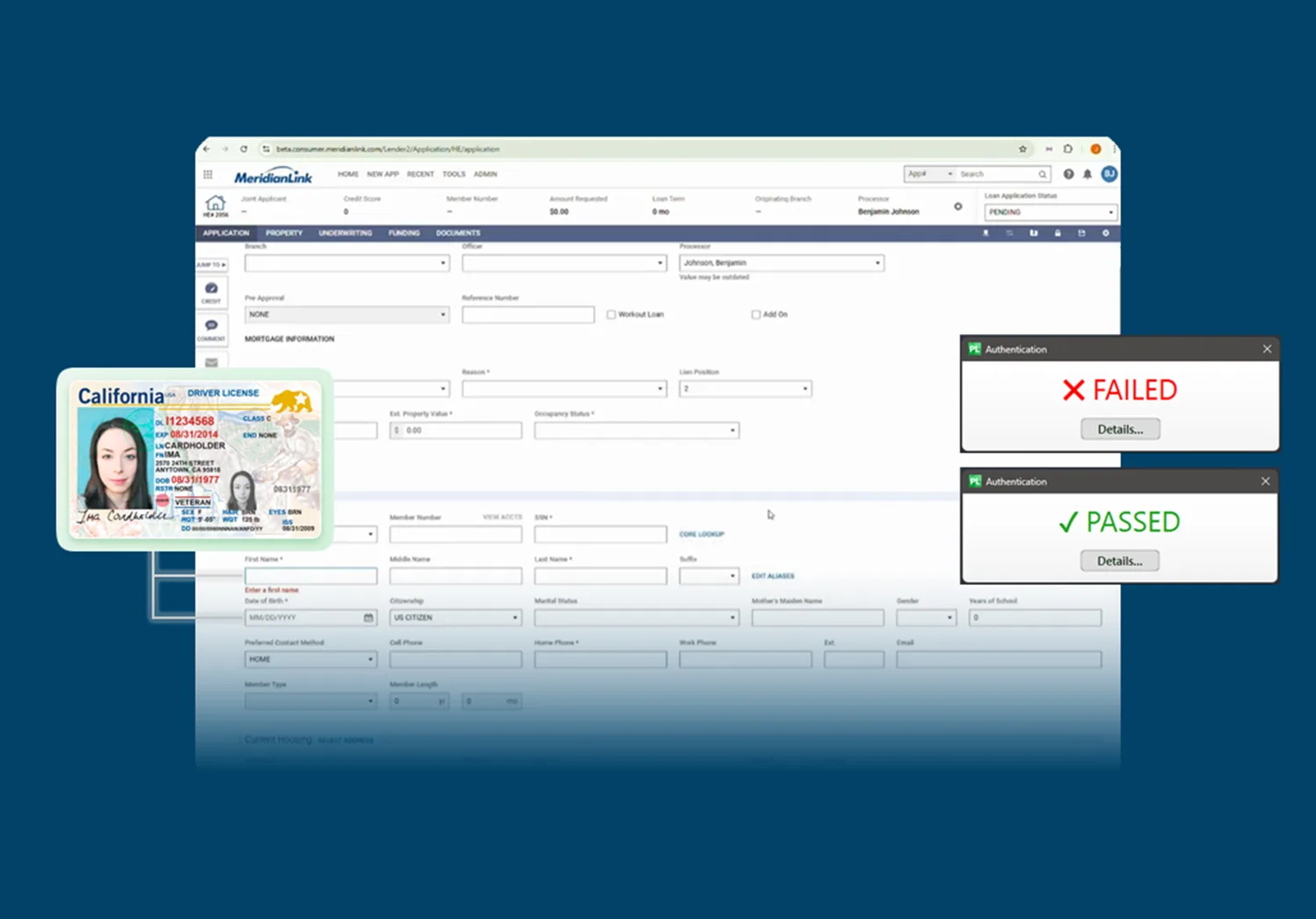
Hundreds of financial institutions use ParseLink to prevent fraud
ParseLink connects an ID scanner directly with MeridianLink software, allowing you to easily scan IDs directly into the platform.
How to scan IDs into MeridianLink Consumer
ParseLink/MeridianLink FAQ
How effective is ParseLink?
ParseLink Enterprise catches up to 95% of fake IDs with full authentication enabled. ParseLink’s data automation capabilities provide 100% input accuracy.
Which types of documents can I scan with ParseLink?
Visit our Global Document Capability Library to see what documents our products support. Depending on hardware, all documents listed in the OCR, Barcode/MRZ and Document Authentication columns are compatible with ParseLink.
Is anything stored in the cloud?
No, ParseLink is an on-prem solution. The only time data leaves your computer is when for a DMV or IdentiFraud query, if the FI has this check enabled.
What data is saved and where?
The data that is saved is chosen by you. There are two ways which non-picture data can be saved: you build a profile that outputs any information scanned from the ID into a webform or application, or you choose to do History Logging where a CSV, TXT, or XML is generated containing that information. You can also choose to save any and all images captured by the scanner. Where each of these pieces of data is stored is up to you – but they never leave your local computer or network.
How do I get set up with ParseLink for MeridianLink?
Contact MeridianLink and ask about ParseLink to prevent banking fraud.
Which ID scanners are compatible with MeridianLink?
MeridianLink and ParseLink work best with the E-Seek M500 authentication scanner.