 Skip to content




Scan IDs into Cloudbeds
IDScan.net’s integration into the Cloudbeds PMS provides a seamless guest and staff experience by automating the guest check-in process.


ID scanning integration
for Cloudbeds software
This solution populates the information stored on an ID, such as a driver’s license, directly into the Cloudbeds guest check-in page. Hotel staff can quickly capture guest ID information with complete accuracy. Eliminate the need to manually type in your required data; simply scan the ID and the information will be populated directly into the Cloudbeds system. Cloudbeds customers will benefit from this seamless integration. Hardware and software sold separately.

Flag fake IDs
Instant analysis of the data format inside the ID’s barcode.

Automate data entry
Easily parse data directly into the rental agreement with 100% accuracy – no typos.

Enhance guest experience
Cut down wait times and paperwork with ParseLink.
Scan IDs directly into Cloudbeds
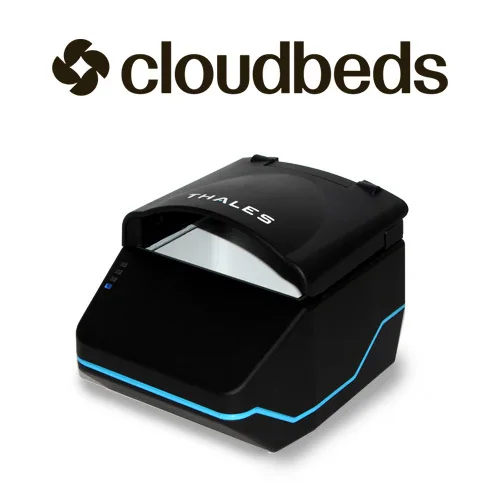
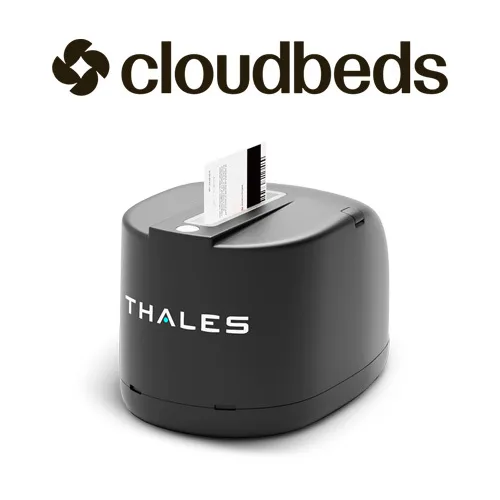


Hundreds of hotels use ParseLink to prevent fraud
ParseLink connects an ID scanner directly with Cloudbeds software, allowing you to easily scan IDs directly into the platform.
How to scan IDs into Cloudbeds
ParseLink/Cloudbeds FAQ
How effective is ParseLink?
ParseLink Enterprise catches up to 95% of fake IDs with full authentication enabled. ParseLink’s data automation capabilities provide 100% input accuracy.
Which types of documents can I scan with ParseLink?
Visit our Global Document Capability Library to see what documents our products support. Depending on hardware, all documents listed in the OCR, Barcode/MRZ and Document Authentication columns are compatible with ParseLink.
How do I get set up with ParseLink for Cloudbeds?
Contact Cloudbeds and ask about ParseLink to streamline guest check-in or visit our Cloudbeds support page.
Which ID scanners are compatible with Cloudbeds?
Cloudbeds and ParseLink work best with a forensic document reader like the Thales QS2000, or CR5400, to enable full authentication capabilities.